
Why DEDALO?
Seven reasons, from the most critical to the most strategic — effectiveness, time, cost. Each point expands for the detail; read as headlines alone, it takes a minute.
-
01 Product variants never drift apart. One base file, unlimited variants — not N copies to keep in sync by hand. why it matters → close ↑
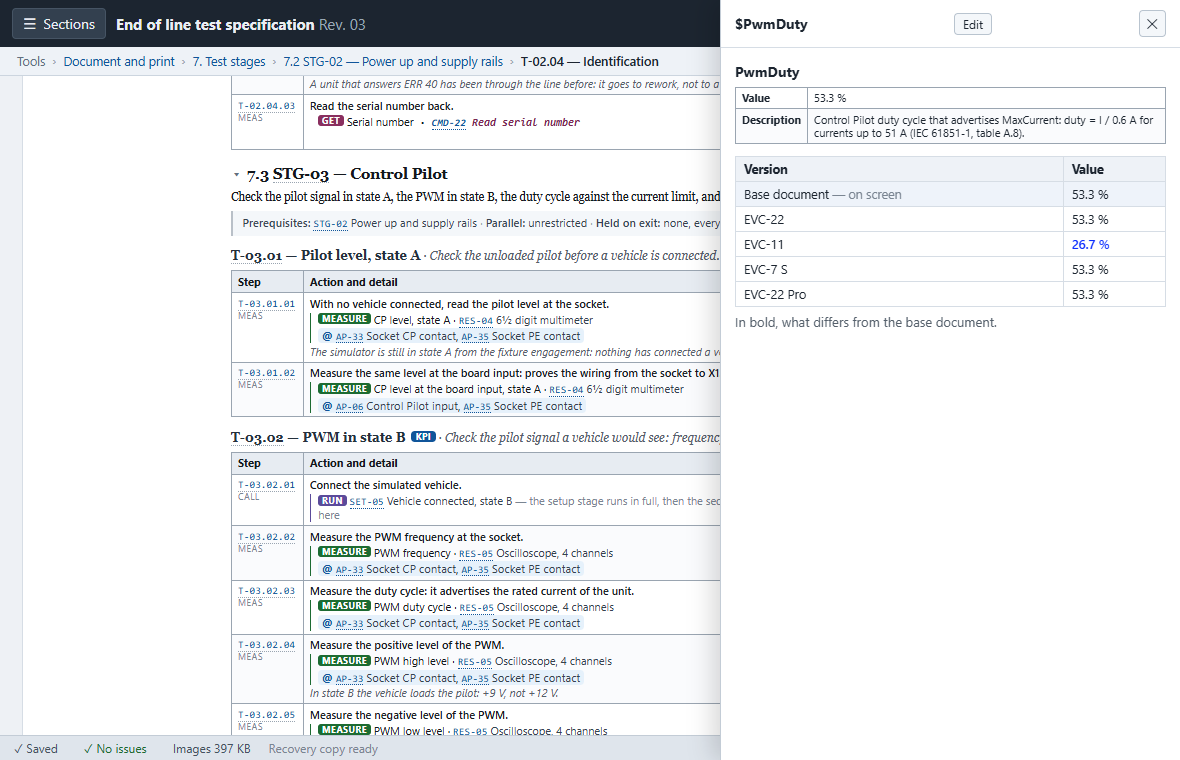
With Word, 5 variants mean 5 duplicated files: changing one shared component means updating them by hand, one by one, with a high risk of missing one. In DEDALO you change the component in the base document and the change propagates automatically to every variant; where a variant differs, the text is marked in electric blue — visible even looking at the base document, so the reader knows what changes without having to guess.
-
02 Errors show up before shipping, not during testing. References, formulas and limits are checked, not just written down. why it matters → close ↑
In Word you can write anything, even a gross mistake — an impossible tolerance, a reference to a step that no longer exists. DEDALO automatically checks for orphaned references, logic cycles between test stages, and the consistency of computed measurements, and counts them in real time in the status bar. It doesn't block saving — it's still a file, always editable — but it makes it impossible not to notice the error before the document goes out.
-
03 Revision traceability, generated — not compiled by hand. An immutable history and a matrix of changes, one click away. why it matters → close ↑
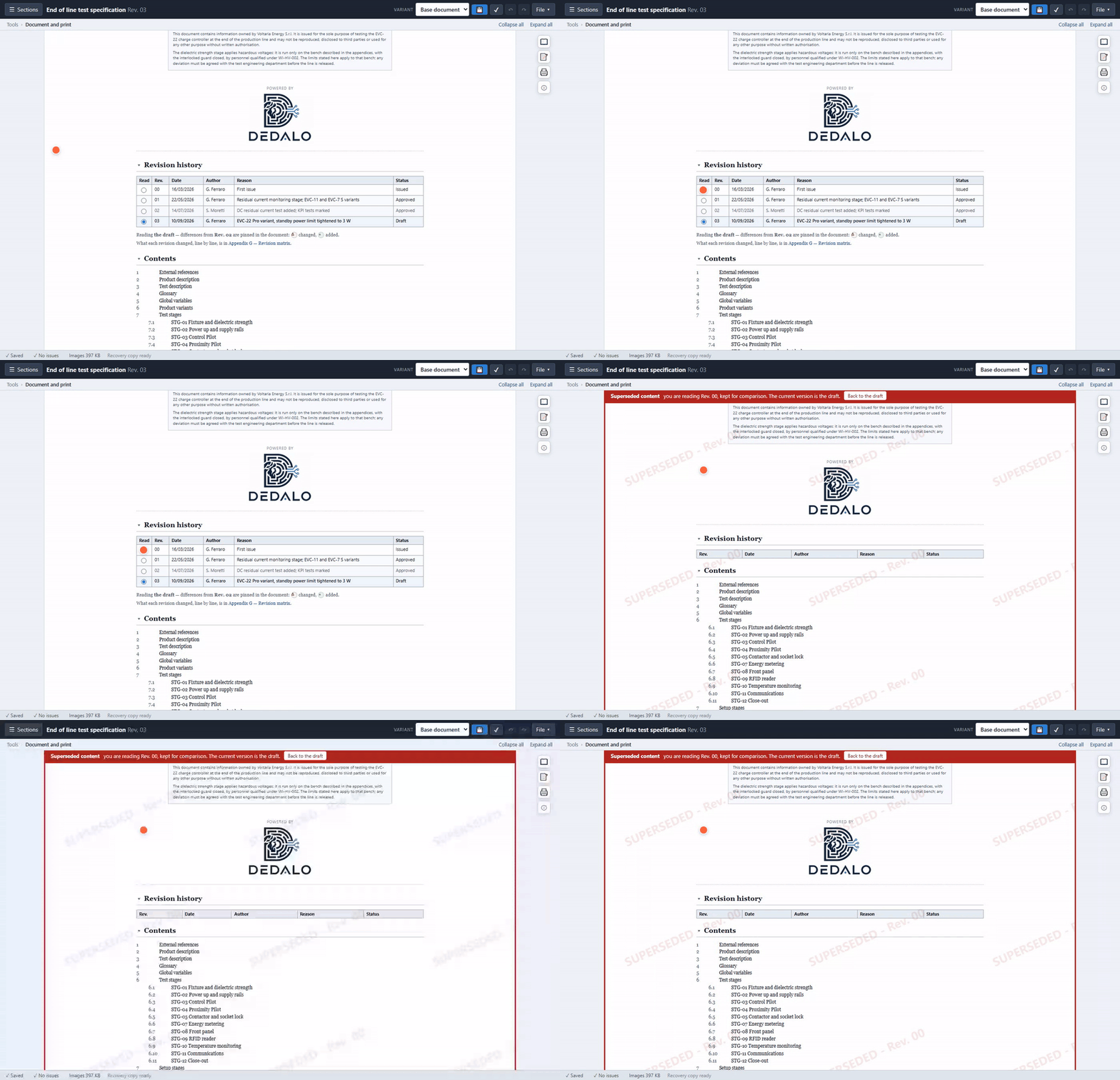
Reconstructing what changed between two Word revisions is manual, imprecise work. In DEDALO, freezing a revision (Validate) creates an immutable snapshot inside the same file; comparing two versions produces a matrix — one column per revision, one row per thing changed, coloured by kind. It's the same level of traceability ISO 9001 document control asks for — the tool doesn't certify anything on its own, but the audit work is already done.
-
04 Less time on layout, more time on engineering. The engineer enters the technical data; the layout is automatic. why it matters → close ↑
In Word, time is lost chasing tables that fall apart, unexpected page breaks, numbering that skips. DEDALO lays everything out automatically: the same content that used to take 15 pages now takes 10 — measured, not estimated, on the real case for how compact the layout is.
-
05 Test markers sit on the photo, not drawn with Word's arrows. One click on the code, automatic crop on the exact point. why it matters → close ↑
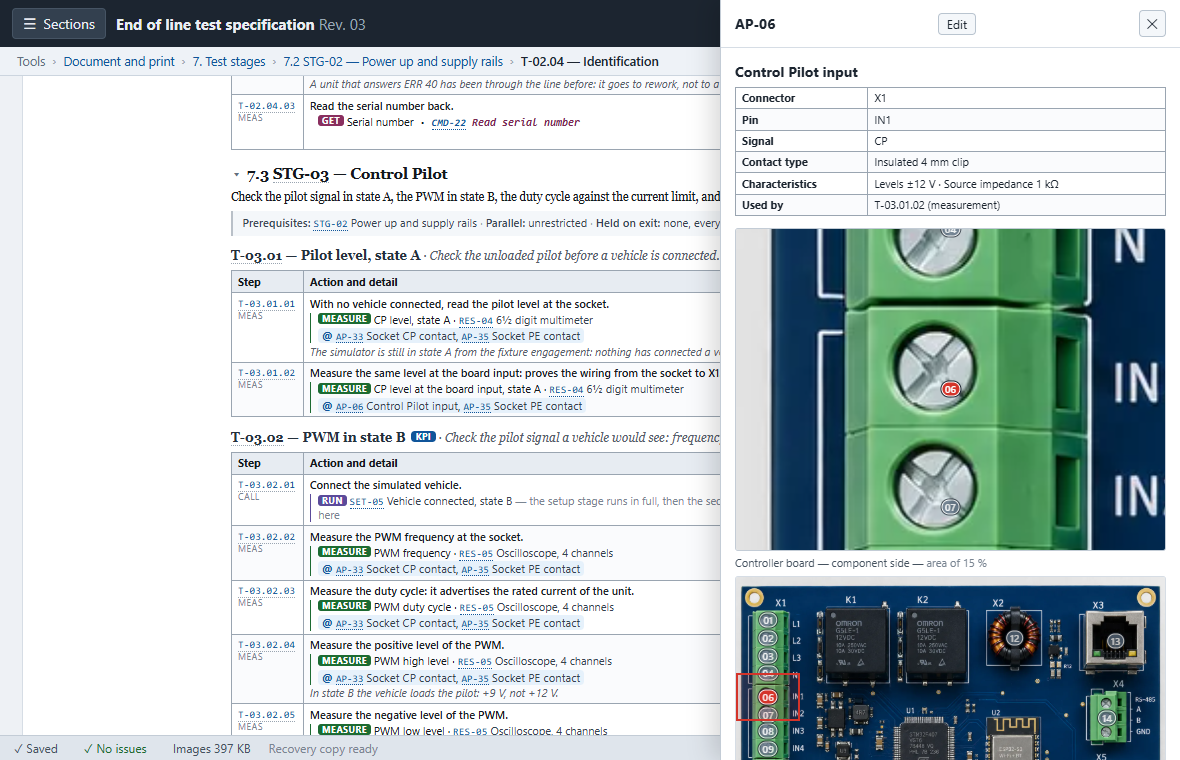
In Word, updating markers with hand-drawn arrows is a geometric nightmare every time the board revises. In DEDALO, one click on the test's code automatically opens the zoom on the exact point — useful to whoever, on the line, just needs to know where to land the tester's probes without hunting for it in the whole photo.
-
06 Zero friction: no IT cost, no infrastructure. One HTML file that is application and document at once. why it matters → close ↑
Nothing to install on industrial PCs, no server, no cloud subscription, no admin rights required. It removes the entry barriers typical of enterprise software — a factor that weighs as much as features do, when IT is the one deciding. The source code is public and verifiable: github.com/HeronForge/Dedalo.
-
07 An open data format, not a file locked inside a program. Native JSON; structured .docx export, not a snapshot. why it matters → close ↑
The native interchange format is JSON (tsw-authoring/tsw-export), readable by any script — an open door to future automation, without having to bet on it today. And the worry about "losing the old Word files" resolves itself the other way round: the .docx export is structured — styles, a navigable table of contents, real headings — not a snapshot to fix up by hand.
Whoever writes specifications every day sees another side of the same story — less strategy, more «nothing breaks on me anymore».